Bjorn Olafsson
Stellar DOCSIS 3.1 modem! Works with Comcast: CONFIRMED
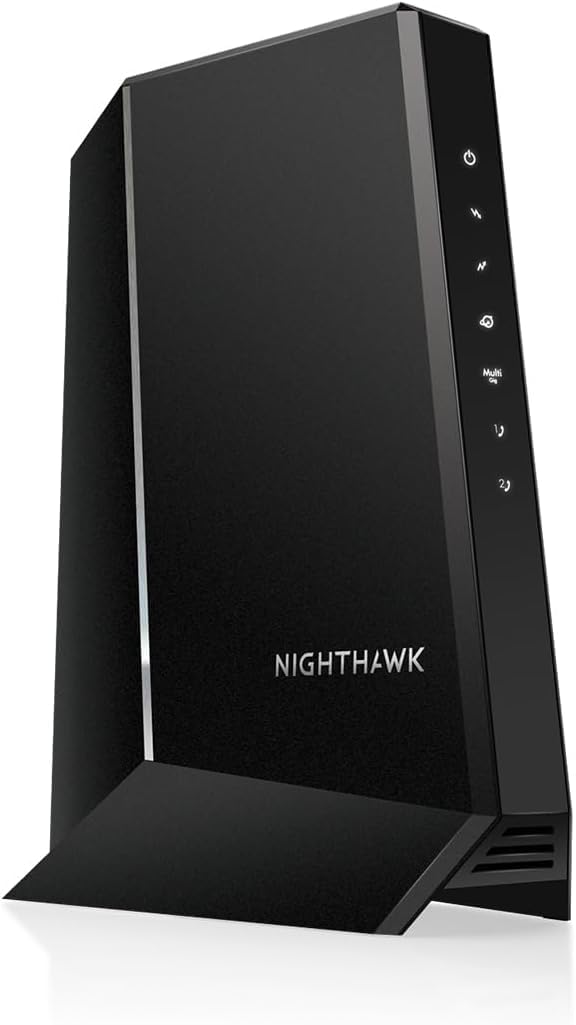
The NETGEAR CM1000 is a modem that targets users who primarily are interested in gaming, or streaming HD video on multiple devices. This modem definitely delivers that type of performance. The design is very much in this vein, it looks vaguely futuristic, perhaps alien in its elongated hexagonal case. The two-tone dark charcoal unit affixed to a gray stand also seems a bit off, why two colors? Anyways, the stand is connected by a single screw, but it seems to also be attached using plastic rails, and it seems sturdy enough. It is very obviously meant to only be used in this upright orientation the reasoning for which brings me to my next point...The triangular venting mixes form and function but is heavy on the form, as this modem does throw off some heat! It will warm your hands in the winter no problem. Might even save you on heating bills. It is almost concerning how warm it runs. I often think to power it down overnight or if I leave the house for an extended period.The modem is DOCSIS 3.1, which is a international standard that allows for higher bandwidth over existing Cable TV service. The next generation of internet speed offerings from ISPs will be in the multiples of Gbps, and to take advantage, you will need a modem that is DOCSIS 3.1. Thankfully, this modem is backwards compatible with the older standard DOCSIS 3.0.The modem came assembled on the stand out of the box, along with the customary canary category 5 cable, and power adapter. I didn't use the cat 5, I opted for the Vandesail CAT7 Cable because, well, why not? The category 7 cable has a much higher bandwidth, and will be used in future equipment, so best to be prepared! I also upgraded the coaxial cable in my house to Quad Shield RG-6 Coax 75 Ohm 3Ghz Cable as you see in the included picture.I have the CM1000 connected to a NETGEAR AC1600 which I had from using with DSL internet service. The pair is working seamlessly together, and I am regularly seeing download speeds at the maximum of my service rating of 200Mbps, using Comcast as an ISP. See the included screencap of the speed test.During install, the modem powered up, and went through a few reboots, and after about 10 to 15 minutes, the connection was made. It initially didn't want to to play with the NETGEAR AC1600 router, but after a few power cycles, everything resolved itself, and the two now peacefully coincide.The status indicators are only on the left side of the front, which itself is angled at about 30 degrees away from you if you are looking straight on. A strange design decision, it limits one's vision of them, especially if you must place it on your left. Not a huge deal, but it seems so easy to design a better solution. Fortunately, I haven't had a need to check the indicator LEDs.Conclusion: BUY. An A+ modem, fit for heavy gaming or streaming HD video.PROS:+ Easy setup+ DOCSIS 3.1 and 3.0 compatible+ FAST+ Will work with the next generation of speed tiers+ Don't have to rent from ISPCONS:- Expensive- LEDs are difficult to view- Runs really warm!Ver másVer menos
11 personas la encontraron útil