Not The Giant
Really great value!
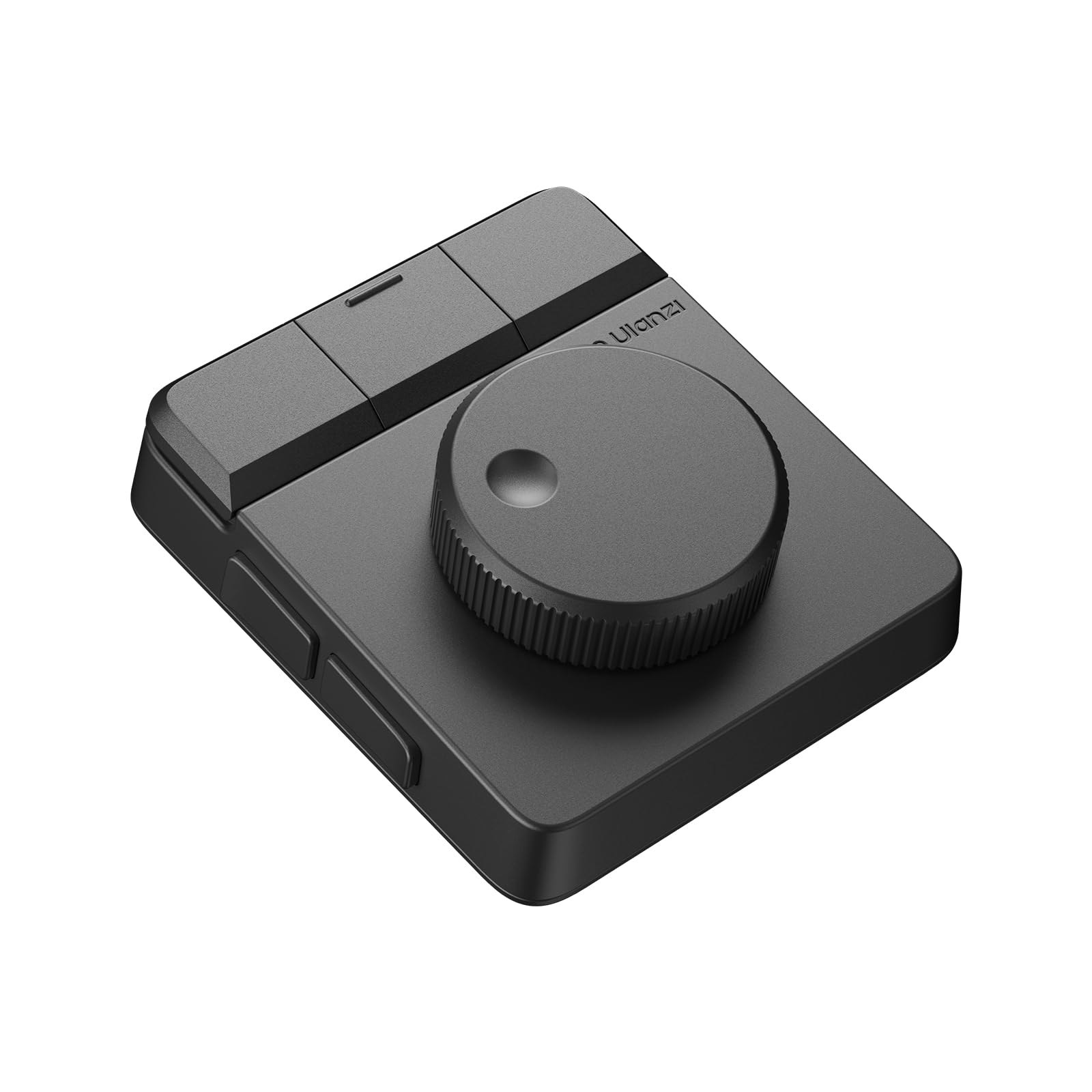
The "Great":If you're editing with a mouse and keyboard only, this will help you get a lot faster. I edit in da Vinci resolve and this has made my workflow much faster. Splitting and deleting a clip are now done in an instant and the wheel gives me great precision regarding where I'm splitting a clip.In addition to the dial, there are 7 buttons, so 7 actions you can perform very quickly.Build quality is very good, this thing is a bit heavy, which prevents you from knocking it out of place while you're going through your timeline.Works with mac and pc, there are 3 profiles you can switch to in the back of the device, so you can easily switch from your laptop to your pc.The store has free customizable profiles that work in your editing app of choice.The "Could Be Improved":Buttons are so easy to press. Too easy. You will encounter accidental presses, especially in the beginning. Make sure to assign a button to "undo"😬.Buttons only respond to a single press. Why not add "long press" and "double tap"? We would have triple the number of possible actions.Instructions are not super clear. Automatic profile switching needs to be enabled in the settings. It was not immediately evident that it could do that.It would be nice if the dial could "free spin" to move through the timeline faster. Maybe a button could toggle free spin in a future version?In the meantime, using the left buttons in combination with the dial to jog and move the timeline does the trick!Verdict: 5 stars based on how much it improved my workflow for the price I paid.Ver másVer menos
5 personas la encontraron útil