Ian Nandhra
29 de junio de 2022
I am delighted with this great product - it just works.
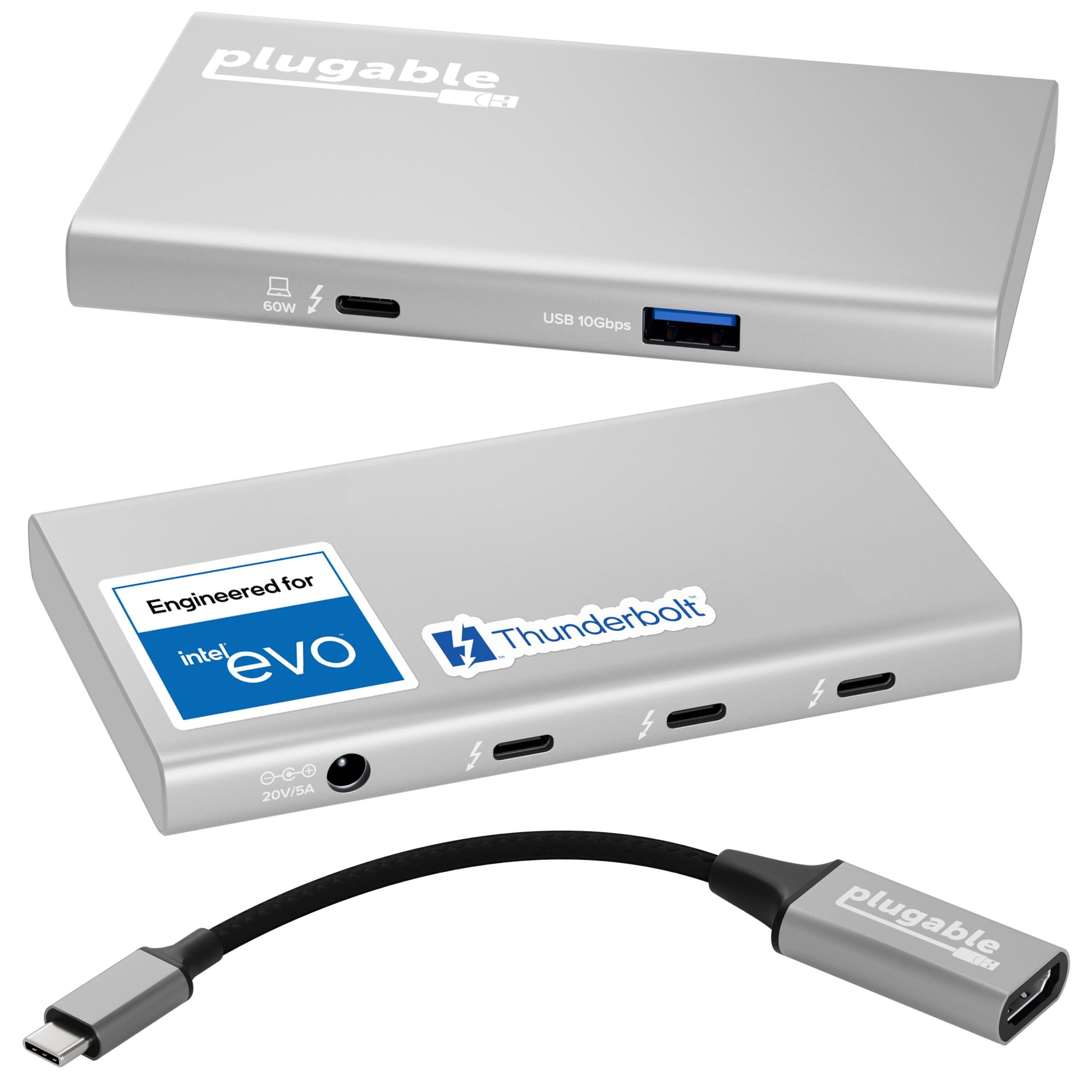
TL;dr it works great, no setup, plug and go. Just buy one and be happy.First and Foremost; do NOT even think about using ANY TB4 device without a genuine Intel Certified TB4 cable. In this case Cables Matter and Plugable supplies the correct one (plus the correct TB4 to HDMI as well)Like me, you are probably reading all the TB4 Hub reviews before purchasing and this is my experience.I looked long and hard at the Caldigit Element and the Plugable hub. I debated the cost, the size, the power cube, over thought and considered every little detail over and over again because, well because.I concluded that whichever I bought I’d regret not buying the other, so I ended up with the pluggable.Take it out of the box, it comes with a high quality TB4 cable and a big power cube. So lets talk about the elephant in the room, or on the floor. I somehow doubt that pluggable (or Caldigit since their power cube is the same size) are into power supply manufacture so they OEM’ed someone else’s. Given a choice between this power cube that lives on the floor with all the other *)*@%(& power cubes or paying more for a smaller one that will still be on the floor with the others, I’d pay less every time. So it sits on the floor with the others, it doesn’t even get warm.The actual hub on the other hand *does* get warm during use but then my laptop does too.Does it work? Yup, just plug it in and as advertised it just … works. I have a USB 3.0 (plugable) hub hanging off the USB 3.2 port and that’s where all my angst kicked in.Is it better to get the Caldigit Element with it’s FOUR builtin USB 3.2 ports or this one with one USB 3.2. Wait, what? Exactly how many 1050Mbps devices do we actually have? Like, seriously.TB4 can only(?!!!) support 40Gpbs which is a mere FORTY 1Gbps (1050Mbps) devices. There aren't enough ports for all of those so….. ok, ok, you want to daisy chain but guess what! You’re still limited to the 40Gpbs from the laptop to the Plugable or Caldigit. But wait you say, not all devices will max out at the same time so you can attach more devices. Well that’s what I’ve done via the USB 3.2 Gen-2 (10Gbps) port to the daisy-chained hub and:Attached to the Plugable:Samsung T7-1TB SSD (1050Mbps ) USB CSamsung T7-2TB SSD (1050Mbps ) USB CSamsung T5-1TB SSD (500Mbps) USB CUSB 3.0 Hub (via the USB 3.2 Gen-2 port)Attached to the USB 3.0 HubWD 5TB driveWD 5TB driveand a couple of other things that don’t make a difference.All this is attached via the TB4 cable to a Surface Pro 8 with 2 monitors running of the MS Dock. OK, ok, I know I need more storage and am looking at another monitor but here we are.Results? I can’t shovel disk data from the SP8 to keep up with the capacity of the USB-C drives and the USB 3.0 drives. I just can't max out the 40Gbps TB4 port so everything else is just moot. All that *would* change if I ran the monitors off the Plugable (but then ALL TB4 hubs have that problem).The T7’s are slightly faster than the T5 and the T5 is slightly faster than the WD HD’s.Now when it comes to data processing the T7’s win every time but in terms of overloading the Plugable, I’m nowhere close to being able to do that in normal use.I’m going to plug another T7-2TB into the plugable and move the T5 to the hub (since they are 500Mbps bandwidth matched) and see how I can overload things.Conclusion?I love the plugable, it just does it’s job without fuss and doesn’t occupy a ton of space; it’s about as small as it can be.Do I regret the decision?Actually, no. I can’t think of a reason why I’d need 4 USB 3.1 ports and 3 TB4’s in the same box. Other people will though and the Caldigit will be worth the extra $50 or so.Will I buy another Plugable?Actually yes, I might get that 3rd monitor going :-D :-) :-D (The Surface Pro 8 has two TB4 ports)Ver másVer menos
36 personas la encontraron útil