Wing Wong
Lightweight, just works art tablet with _sweet_ pressure sensitivity.
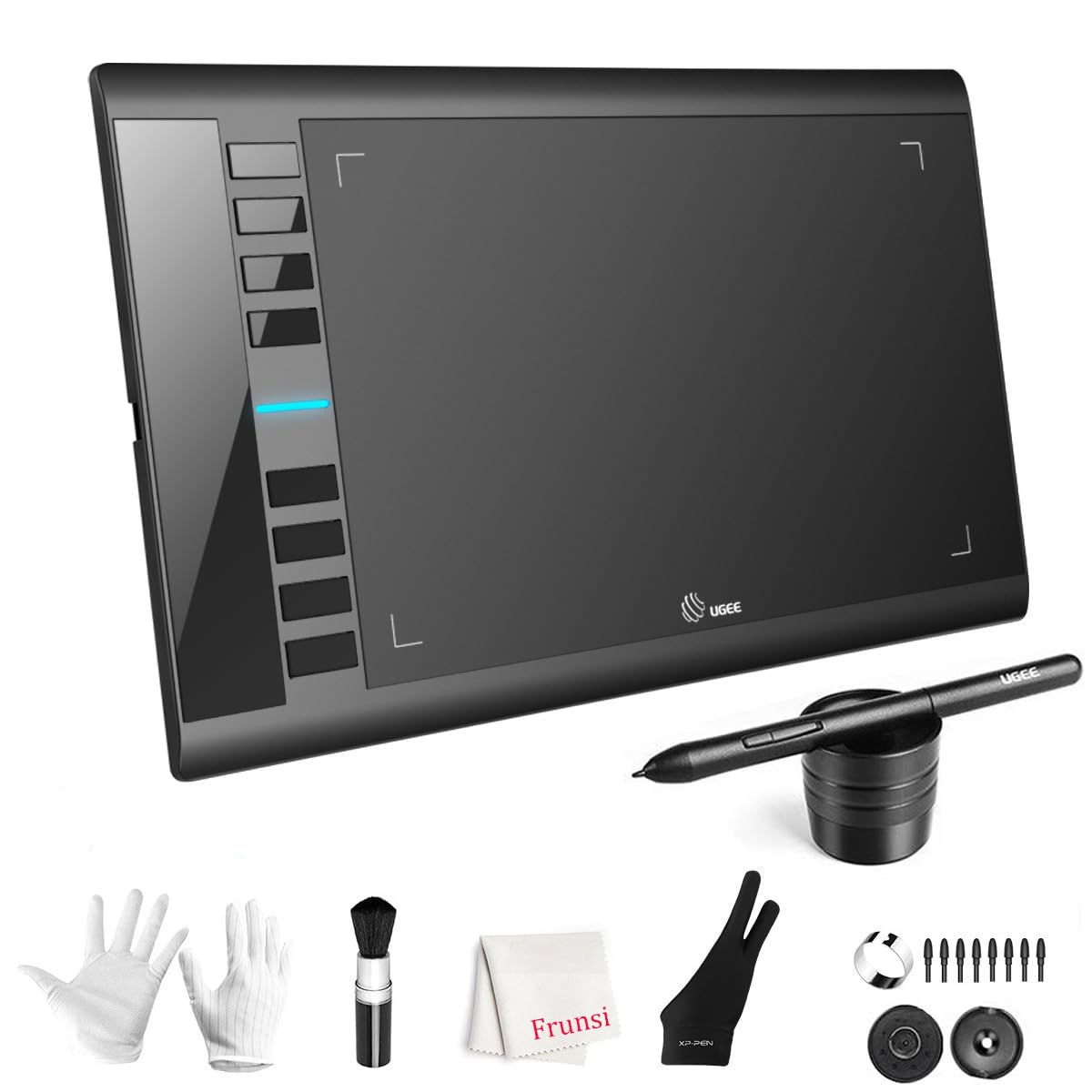
TLDR; Great low cost intro tablet at a great price (bought mine during sale for $40) Great sensitivity and decent construction.Detailed review:The USB PartsSo tested this tablet on a MacBookPro via the provided USB A to USB C adapter. The adapter snaps into place in the USB C port!!! <<< OMG!!!! THIS!!!! Really, why aren't ALL USB C connecters snap in place!? It's in the design spec but most of the time... USB C connectors tend to be... loose. Not this.Speaking of USB... the Micro USB connection on the tablet side is sized so that the cable will fit snugly, avoiding strain on the Micro USB port itself. The space has a slight taper so downward pulling won't cause it to fail. Nice.The BuildIt's built like a thin keyboard with partial folded metal and plastic components. It is SUPER light and if you put the effort in, it will flex. (So will a Wacom, actually... )The surface is smooth. One LED to indicate whether the stylus is within range of the sensor field. It is well lit and isn't super bright.The writing surface is smooth. To be honest, I think that for the price, UGEE puts out a pretty amazing tablet using the induction technology that Wacom pioneered.The buttons on the tablet itself are nice. There is a clear button click, but it is slightly dampened once it bottoms out. Am guessing a tactile micro-switch is under the button. Still, clean button press.SensitivityOkay, this thing has 266 pps for sampling rate and 8192 levels of sensitivity in the sensor.The only tablets I've had experience with are Wacoms from pre-2018. So the sensitivity levels of those are in the 2048 range. I have found that Wacom sensors tend to max out super quick and requires a more managed level of pressure or a curve adjusted nearly to the point of skewed de-sensitivity to avoid bottoming out.With the UGEE 10x6, I found that the lightest touch can produce a very fine line and applying pressure to the stylus while sketching I did not bottom out. When I did a pressure calibration, I was more or less leaving it along the midline, which was a surprise for me.Used it in Clip Studio Paint and at first, I had this thing where the cursor froze for a moment after I lifted the pen at the end of the stroke. Turns out this is due to having set 200 undo levels.... Dropping it down cleared that up.Drawing with this stylus and tablet feels very much pencil and sketch pad. The stylus is about the thickness of a slightly thicker pencil... maybe a pastel? Smaller? Larger? Guess it depends on the brand. But overall, I like it. That 8192 levels and 266 pps REALLY captures my strokes. dang.SoftwareUnlike Wacom's driver software.... UGEE's is VERY minimal and straightforward. But it retains what's important:- customize keys, buttons, and actions per Application.- can easily customize any button on the stylus or tablet.- doesn't induce lag, which Wacom's drivers have for me.Ver másVer menos
90 personas la encontraron útil