
Michele Egan
Awesome with one small exception.
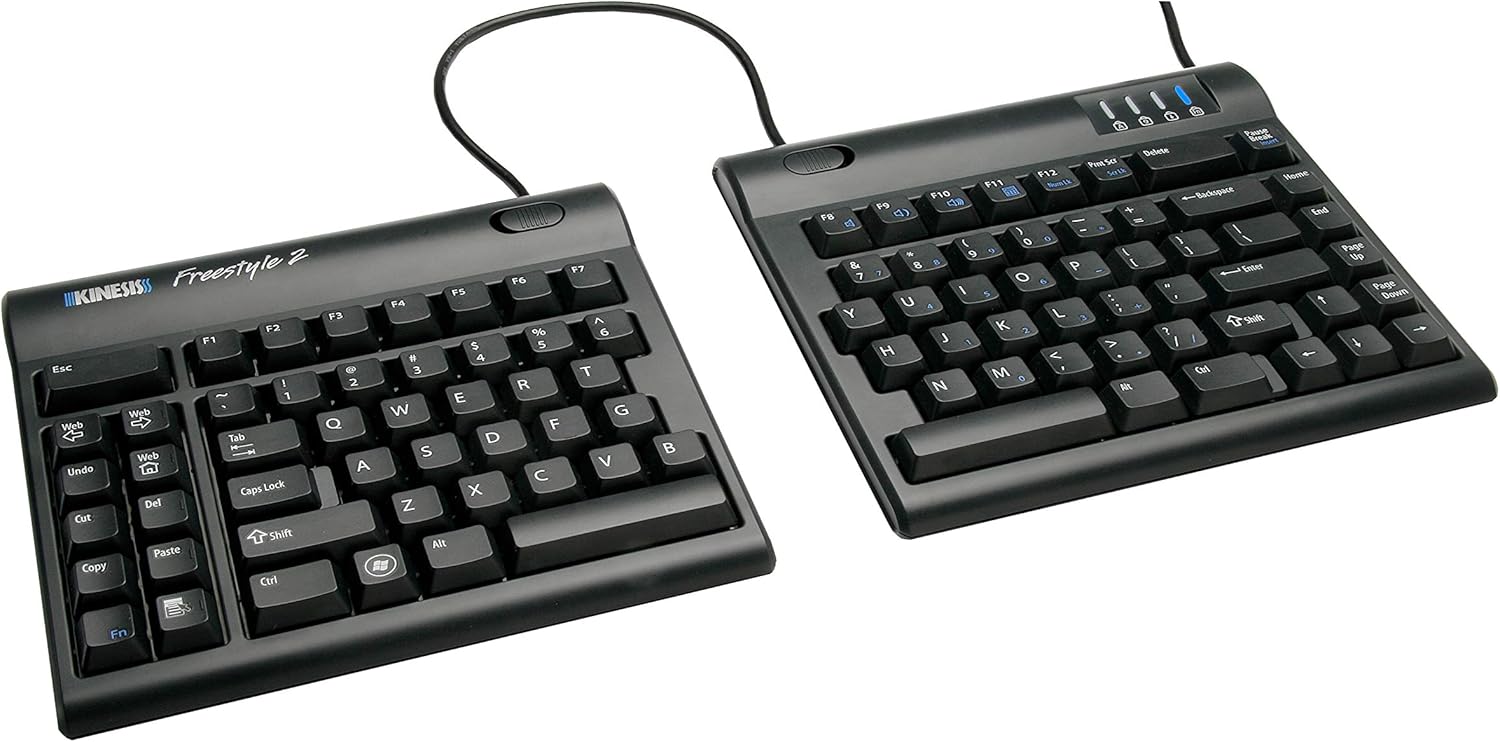
UPDATE:I think the one real issue I have with this keyboard is the inability to map the three web-dedicated buttons on the left to something else. I'd LOVE an Enter key on that side. If that's not a dealbreaker for you, read on, because 99% of this keyboard is amazing.ORIGINAL:I've been dithering over getting this keyboard for a long time. I have RSI in both hands and have tried almost every other keyboard out there. I even looked at the Kinesis $300 one with the 'hand wells' but decided against it because people described the keys as needing force and there was no good option for 10-key number pad entry (Accounting major so std 10-key is a must). My RSI requires that I not need a lot of force to press the keys.Pros:The 20" cord between the keypads fits perfectly on my VariDesk 36" giving me plenty of room in the middle for my mouse (any of the 4 I switch around to keep those tendons from complaining at me!) and/or my drawing tablet.That 20" gap also allows me to sit in a relaxed, shoulders-back position to type which is worlds better than the hunch or crouch that happens when concentrating intently on what I'm typing on a regular, even ergonomic, keyboard.There is a group of buttons on the left-hand side that are Copy, Paste, Cut, Del, Undo, Web, and Forward/Back web buttons. These are SO USEFUL when using the mouse in the right hand.If you buy this with the tilt/wristpad accessory that Amazon 'recommends' with it it gets even better, with several good tilt angles for each side independently. The wrist pads are soft and comfy.You don't have to have it 20" apart, there's a way to link the two halves together and just tilt them out from each other if you're short on space.The keys are easy to press but still make a good clicky sound. I'm a gamer and I haven't had any issue with them.Cons:There's a little bit of a learning curve but if you're a touch-typist like me it's quite quick to get over.The accessory kit mentioned above does not have positive or negative tilt front/back, only left-right. I'd like to be able to tilt the top of the keyboard down and the back up, as well as the sides.The accessory kit tilt feet are kind of loose so it's easy to change the tilt when you move the keyboard, that's kind of a pro/con. The little rubber feet are pretty good at keeping the keyboard still under normal usage. Set it and forget it is the best way to work with this, I think.With the 20" cord in between, if you're not using the whole thing, it's in the way. I tucked mine under the VariDesk middle bit (see pic) and it fit perfectly. But not everyone has that option, so just be aware that the cord might be annoying unless you can tuck it under something else.The 10-key keypad is an extra buy. That's kind of annoying but I get that not everyone wants/needs it. Also with the main keyboards so far apart, putting the keypad on the far right like I'm used to was not an option. I put in the middle because while I do use it, I don't use it often enough to make a special place for it in my setup. I move it aside when I pull out my drawing tablet.Overall I highly recommend this keyboard to touch typists with RSI, or who want to avoid it, those with w/ back issues, shoulders, neck, etc. It really opens up your posture if you use it at the 20" and lets your whole body be in a more neutral position than a centralized keyboard setup. It actually makes me feel more relaxed overall with my posture more relaxed.Ver másVer menos
31 personas la encontraron útil