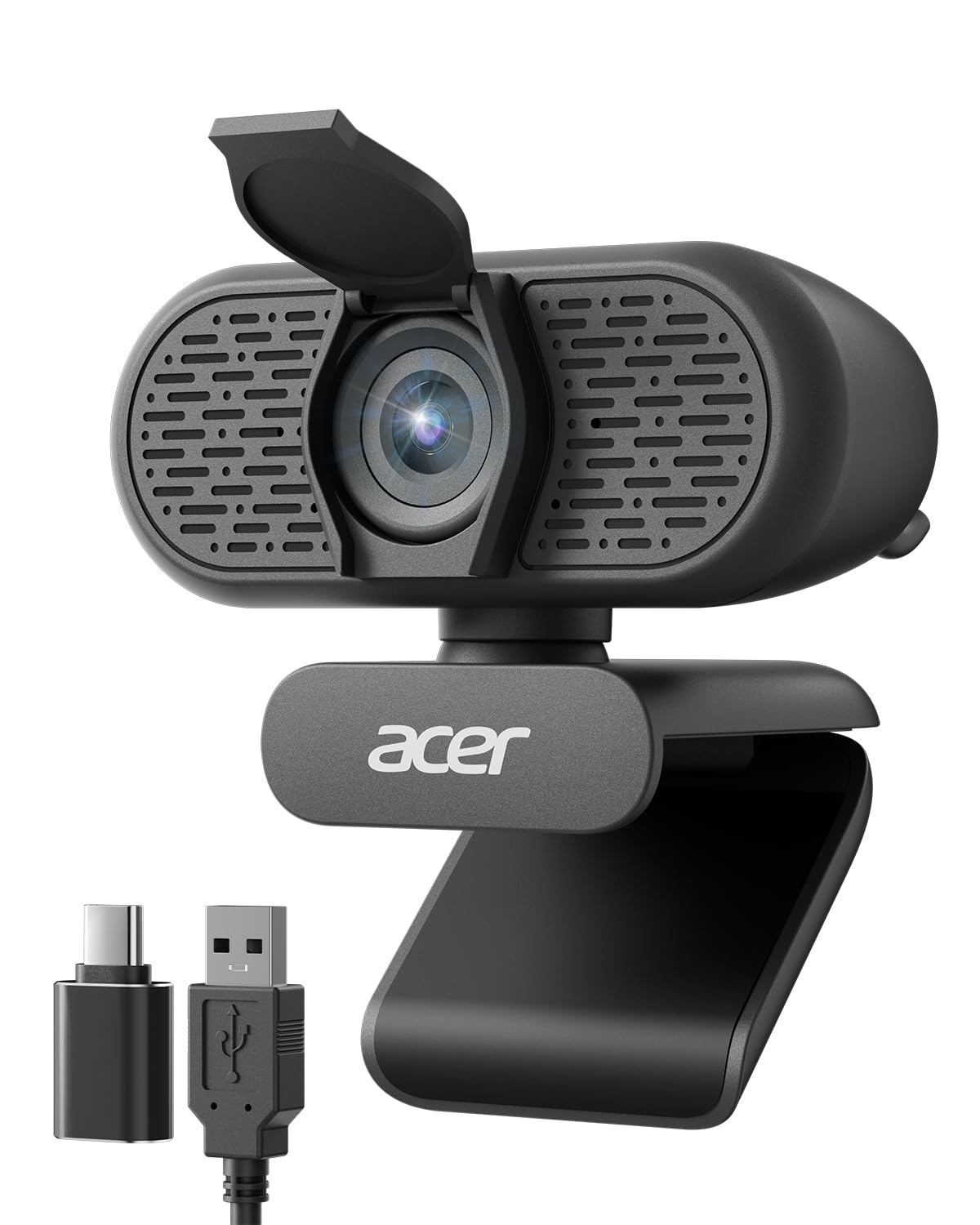
Full HD 1080p resolution provides clearer image quality so you look better in video calls with this HD webcam. RightLight boosts brightness by up to 50%, reducing shadows, so you look your best—compared to previous generation Logitech webcams. The integrated privacy shutter lets you enjoy peace of mind with a simple slide when you’re not on a video call. Sound better with a built-in microphone in this computer camera with microphone for desktop. Brio 101 is a versatile streaming camera and is compatible with most video conferencing platforms, including Microsoft Teams, Google Meet, and Zoom. This USB camera for PC is suitable for those needing a webcam for Mac, thanks to its broad compatibility. Refined colors brighten up your personal workspace—so you can express yourself. As a Logitech webcam, it provides high-quality video experiences. Made with a minimum of 34% post-consumer recycled plastic for a better future. If you need an external camera for laptop, this webcam Logitech model provides functionality and style in one device.
The Logitech Brio 101 is a basic but very functional webcam. I own a new Mac mini M4 and use it with a monitor that has no built-in webcam. It installed easily using Logi +, the Logitech software, and was ready to use in two minutes. I do have two very minor complaints. First, I like the privacy shield on the camera, but the lower tab on the cover extends slightly below the monitor's bezel, which is a distraction. Second, the camera connects via USB-A, not USB-C, which means I have to use an adapter to connect it directly to the Mac mini or to a USB hub that accommodates the larger plug. I don't use the camera all that often, so I tilt it back and slightly up so the bottom tab on the privacy shield is out of the way. It would also be easy to simply remove it, lay it on your desk, and then put it back on the monitor when needed. All in all, if you're looking for a basic webcam to use with Zoom et al., this webcam should be on your short list. Read more
5 people found this helpfulArrived as expected. Plugged into USB port and it instantly worked. Resolution is great. Software is integrated into Win 11 and can be downloaded from Logitech. Microphone works better than I ever expected. When doing Zoom meetings it captures every word I say. Need to make sure I'm using the mute button when necessary. Read more
5 people found this helpfulWorks well (plug and play setup). Picture quality is good and will work great for Microsoft Teams calls. The only minor quibbles I have (and why I’m giving it 4/5 stars) are: 1) If you have a monitor with a thin bezel, the camera will overhang a little of the screen. It would be nicer if the mounting point was on the bottom of the camera instead of the middle of the back which would help it sit higher atop the monitor, preventing any screen obstruction (however minor). 2) As some others have noted, it feels a little too zoomed in. That said, it does exactly what I need for my work desk, and I believe it’s a good product for the money from a reputable company. Read more
41 people found this helpfulThis product is exactly as described and works great. Very practical and well-made. I’ve used it several times and it holds up really well. Easy to use and a great value. Highly recommend! Read more
This webcam delivers crisp 720p video and handles lighting adjustments well for the price. The built-in microphone picks up voice clearly without much background noise. It’s easy to set up and works smoothly on multiple platforms. A reliable, affordable option for calls, meetings, or casual streaming. Read more
2 people found this helpful