Miguel Hincapie
28 de enero de 2026
Great performance: 160Hz works perfectly with the right cable
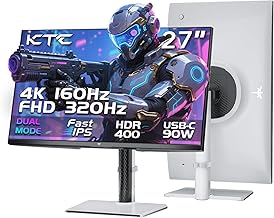
I’ve been using this monitor for a few days now (received in January 2026), and so far my experience has been excellent.My graphics card is an ASUS TUF Gaming NVIDIA GeForce RTX 4080 Super OC Edition, and at first, I had some doubts about reaching the full 160Hz at 4K in Windows.I followed many comments and reviews online and tried different cables. I even bought a certified HDMI 2.1 (48Gbps) cable, thinking that would solve the issue. While that cable works perfectly, with HDMI I could only reach 4K @ 120Hz uncompressed, which seems to be a limitation of how this monitor and NVIDIA GPUs handle HDMI.However, the DisplayPort cable included in the box works perfectly. Using DisplayPort, I can get 4K @ 160Hz in Windows without any issues on my RTX 4080 Super.On macOS, I was also able to reach 160Hz using HDMI, which worked smoothly.The dual mode is another big advantage: I tested 1080p at 320Hz, and it works very well for competitive gaming. Motion is extremely smooth and responsive.Regarding performance, DisplayPort uses Display Stream Compression (DSC) to achieve 160Hz at 4K. This adds only about 0.1–0.3 ms of latency, which is completely negligible in real gaming. In practice, the higher refresh rate reduces overall input lag compared to 120Hz, so gaming actually feels more responsive.Image quality is excellent, colors look vibrant, and build quality feels solid. I haven’t noticed any input lag issues, stuttering, or visual artifacts.I’ve only had the monitor for a short time, so I may update this review in the future if anything changes. For now, based on my experience, I’m very satisfied and giving it 5 stars.I will also upload a video as evidence showing the refresh rates working correctly.Highly recommended if you’re looking for a versatile and high-performance 4K gaming monitor.Ver másVer menos
5 personas la encontraron útil